Transfer Delivery and Picking Ticket Scanner (User Guide)
links:
Access Control
Accounts are created by an administrator.
Only authorized IMD personnel can access the system.
Transfer Delivery Module
Create New Checklist
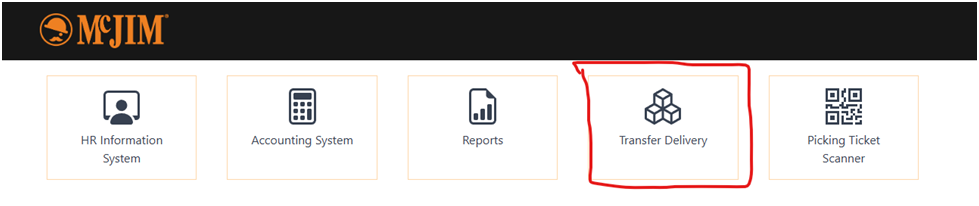
1. Open Transfer Delivery Module
2. Default tab: Create New Checklist
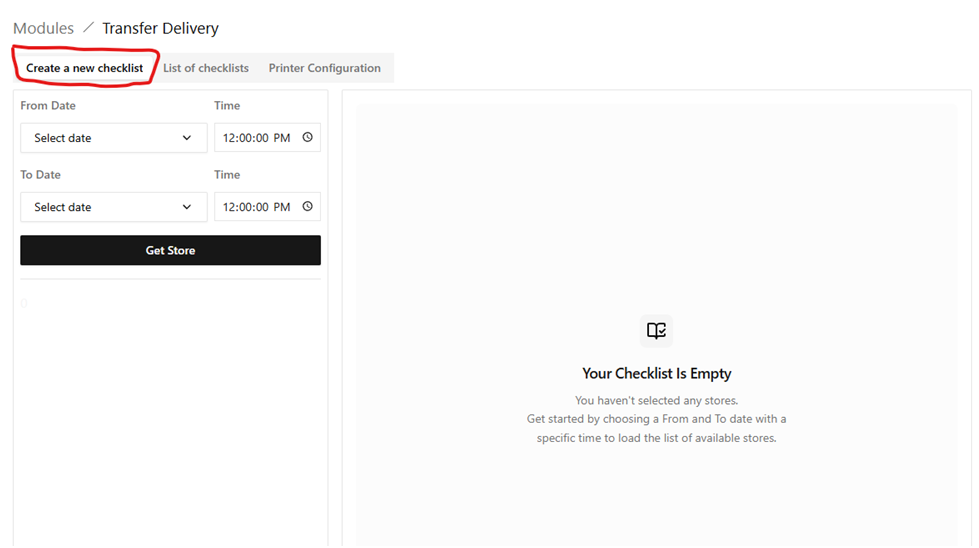
3. Select date and time range
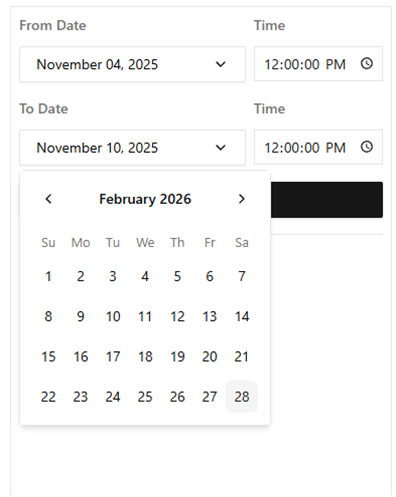
4. Click Get Store button
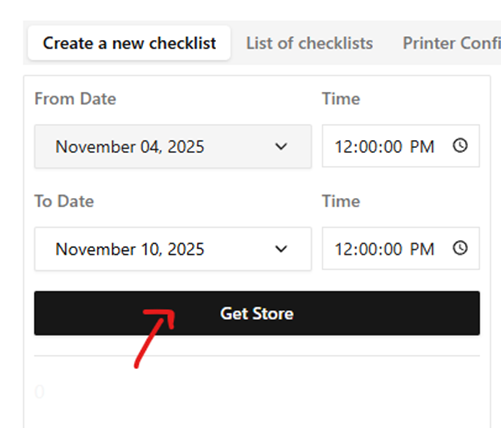
5. System loads stores and TD numbers
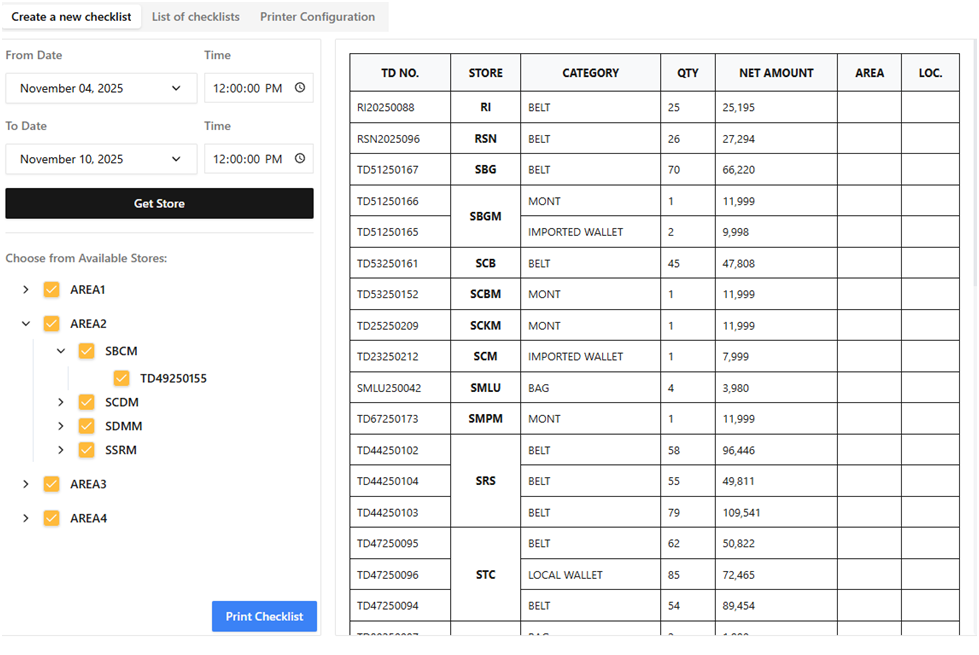
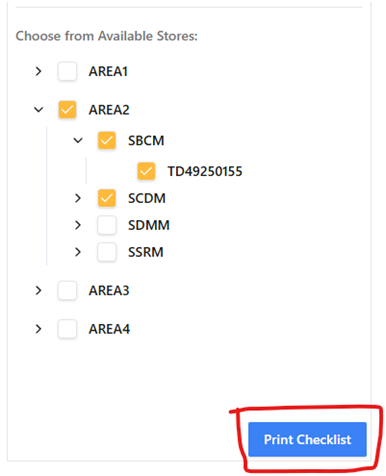
6. Select or deselect TD entries
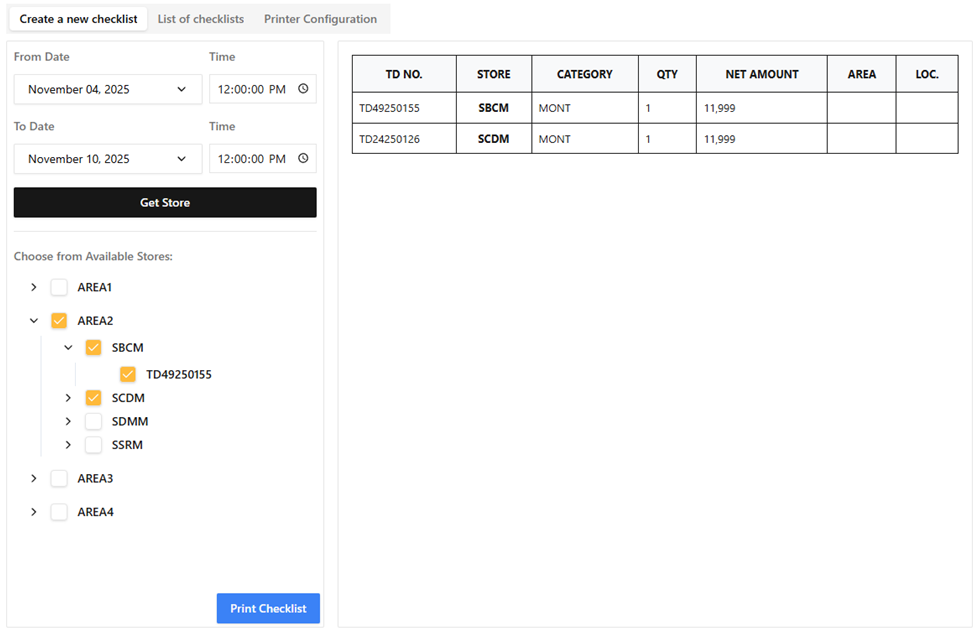
7. Click Print Checklist button
8. Enter scheduled delivery date
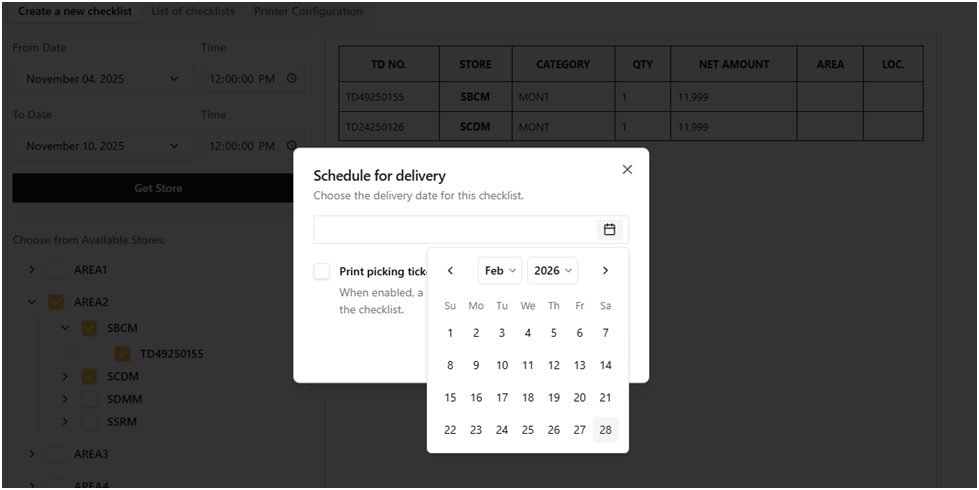
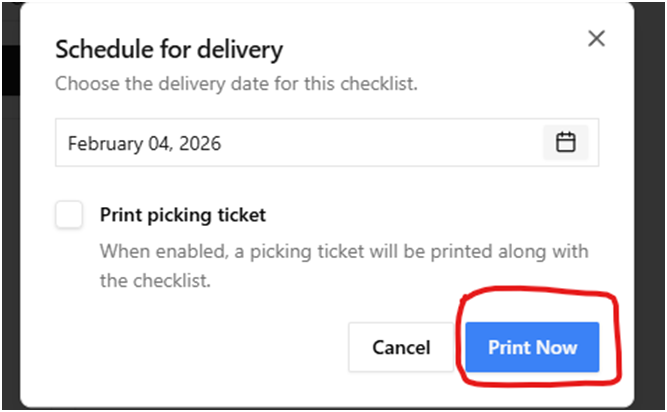
9. Optional: Print picking tickets
10. Click Print Now button
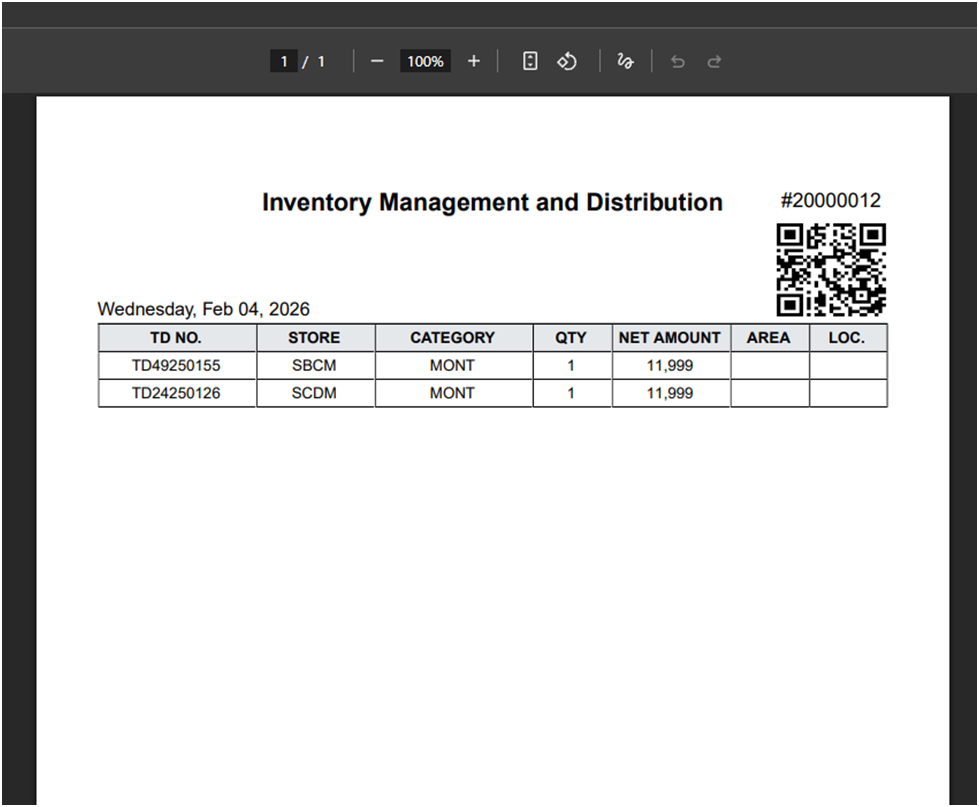
Generated checklist includes:
· QR code for live monitoring
· Table of selected TD numbers
· Delivery schedule information
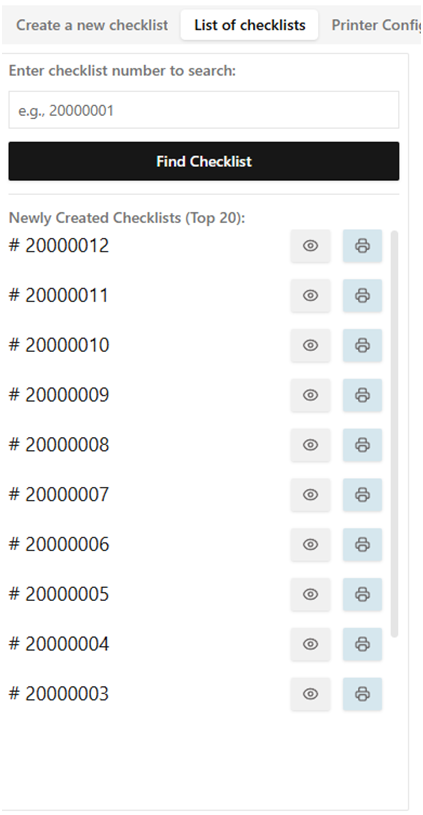
View Existing Checklists

Left Panel
· Search checklist number
· View latest 20 checklists
· Options: View / Print
Right Panel
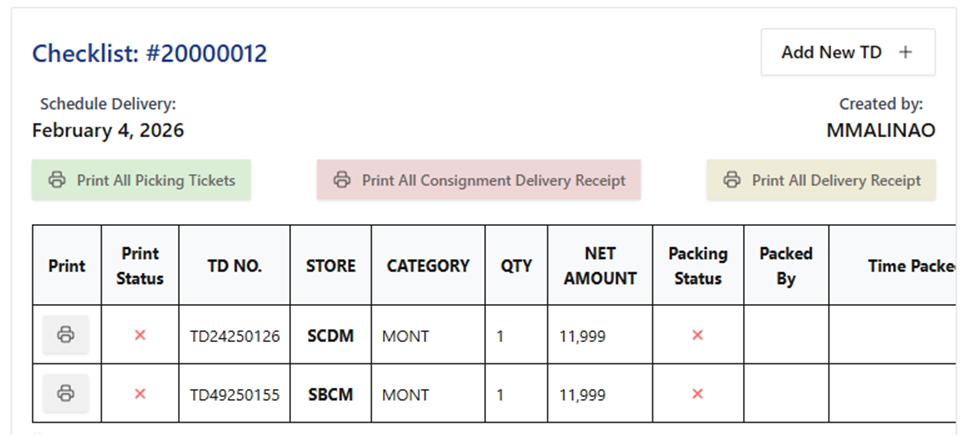
· Checklist details
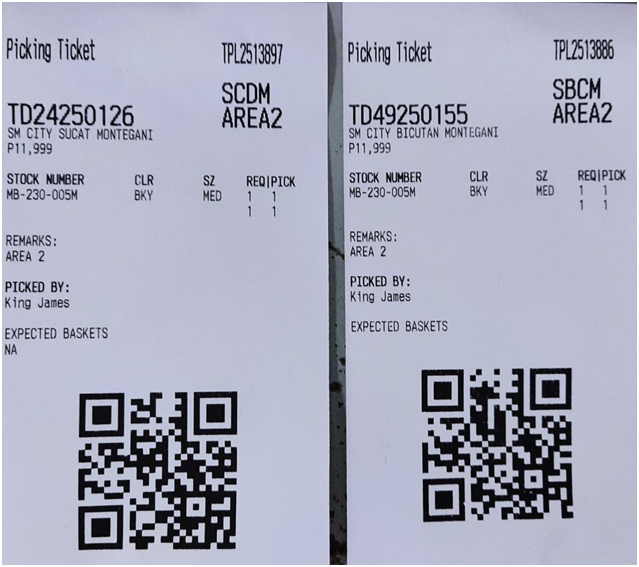
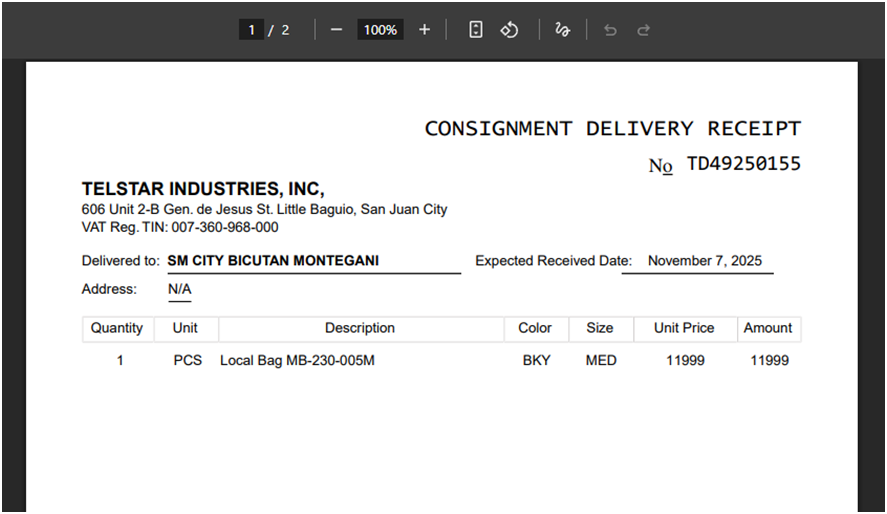
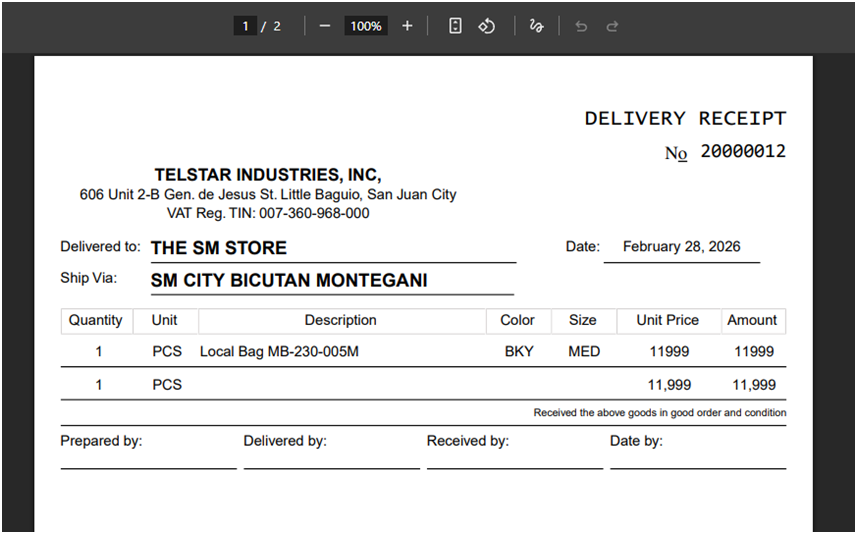
· Print options:
o Picking Ticket
o Consignment Delivery Receipt
o Vendor Delivery Receipt
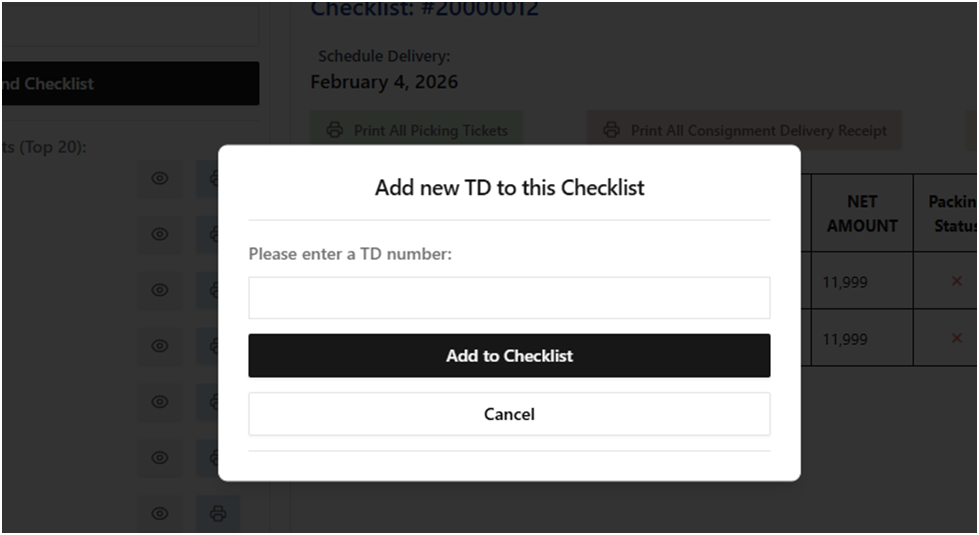
Users may add additional TD numbers to an existing checklist.